

Families comparing senior living communities tend to arrive with the same short list of practical questions. What will this actually cost? What kind of help is available? What happens if Mom needs more care next year? Consumer guides from AARP and federal agencies coach families to ask exactly those things.
If your website doesn’t answer them, families either call with a vague inquiry your team has to untangle, or they move on to the next community that did. Below are the questions that come up most consistently, and what a useful answer on your website looks like.
This article is about website content, not care, legal or financial advice. Have your clinical, compliance and executive leaders review anything your site says about care levels, contracts or fees.
Not necessarily. Plenty of communities don’t, and there can be good reasons. But families will look for how your pricing works, and a missing answer reads as a warning sign.
AARP’s June 2025 article on unexpected assisted living costs says the most significant costs often aren’t included in the advertised base rate, and that brochures can make costs sound all-inclusive when “the reality is more like à la carte pricing for varying levels of need.” It tells families to ask for a full written cost breakdown beyond the base rate.
A pricing page can answer that before the first call, even without numbers:
Ask your compliance lead to review pricing information before you publish it.
The term isn’t standardized. The National Institute on Aging’s overview of long-term care facilities puts it plainly: “Exact arrangements vary by facility and by state.” Residential care settings are licensed and regulated at the state level, according to HHS’s policy research office.
So define your own terms. For each level of care, say in plain language what help is available and what isn’t. List only services you actually provide today, and name the license type your community holds. If your state offers an online license or inspection lookup, link to it. That kind of openness builds more trust than a page of adjectives.
This is often the question behind the question. Help families understand who reviews a change in care needs, how that decision affects their monthly bill, and whether they can bring in outside help.
Your website can describe the process without promising outcomes: how and how often residents are assessed, who does the assessment, how families are involved, whether private aides are permitted, and what happens when someone’s needs go beyond what your community provides. Your clinical lead should review this page before it goes live.
Families are choosing people, not buildings. Introduce real staff with their names, roles and a sentence about what they do, with each person’s permission. Skip stock photos of smiling strangers in scrubs. Families notice, and it undercuts everything else on the page.
Only state credentials, training or staffing details you can verify and keep current.
Make the tour page specific. Say how long a visit usually takes, who families will meet, whether they can stay for a meal, and whether evening or weekend visits are possible. Adult children often coordinate from out of town, so a clear description helps them plan.
Ask only what your team needs to respond well. A field for who the inquiry is about (themselves, a parent, a spouse) helps your staff prepare. Tell people who will follow up and roughly when, and keep a phone number visible for those who would rather talk.
Open your website on a phone and look for answers to these, as a family member would:
Any “no” is a page worth writing. The good news is that your sales and care teams already answer these questions every day. The work is getting those answers onto the site, accurately and in plain language.
If you’d like help turning that everyday knowledge into website content families can use, talk with our team.
For an example from our own work, see the Episcopal Retirement Services (ERS) case study, which covers landing pages, lead magnets and caregiver guides for a nonprofit senior living organization.
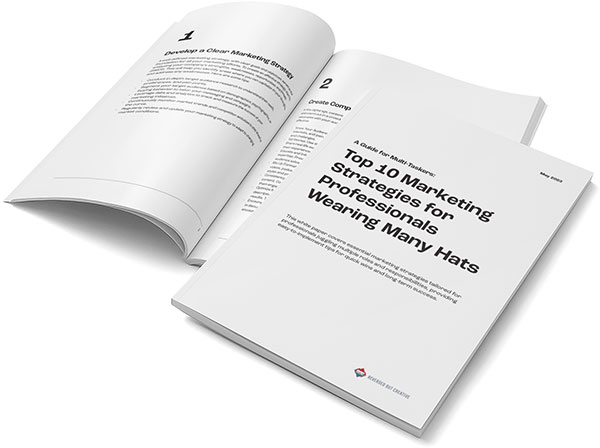
Subscribe to Our Newsletter and Get Access to Expert Insights, Tips, and the Latest Marketing Trends. And get the free whitepaper “A Guide for Multi-Taskers: Top 10 Marketing Strategies for Professionals Wearing Many Hats”
Choosing a website agency for manufacturers starts with understanding how buyers use the site. Most...